A Review System For Videographers.
Send your client one link. They tap the exact moment to leave a note, or draw right on the shot. You get every note in one list, and the sign-off in one tap.
Proofr in about a minute
How a round works
Four steps, back and forth, and it's always clear whose turn it is. To see it the way your client does, open the demo.
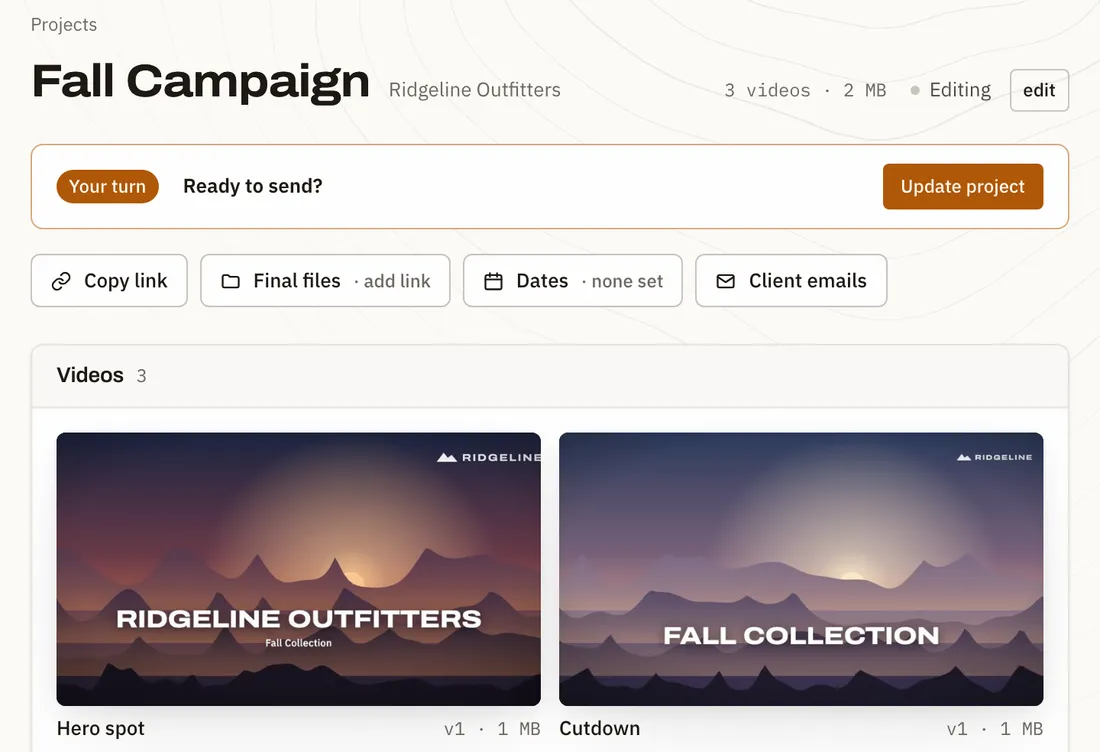
Drop your cuts. Send one link.
Drag your exports onto a project, as many as you like. Press Update project and your client gets an email with their link. Or copy the link and send it however you already talk to them.
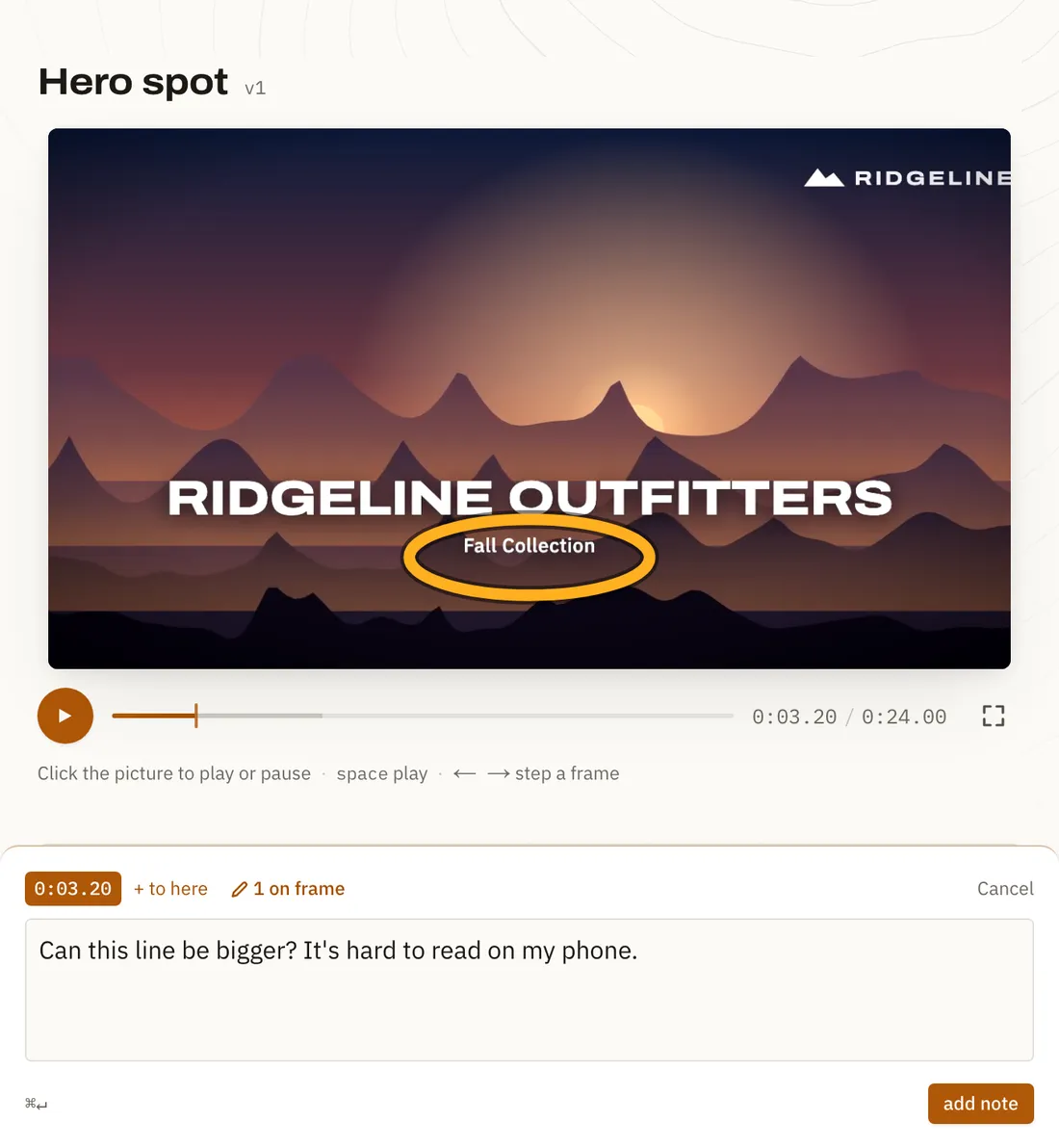
They tap the moment.
Your client opens the link in any browser, no account needed. Tapping the video pauses it right there for a note, and they can circle exactly what they mean.
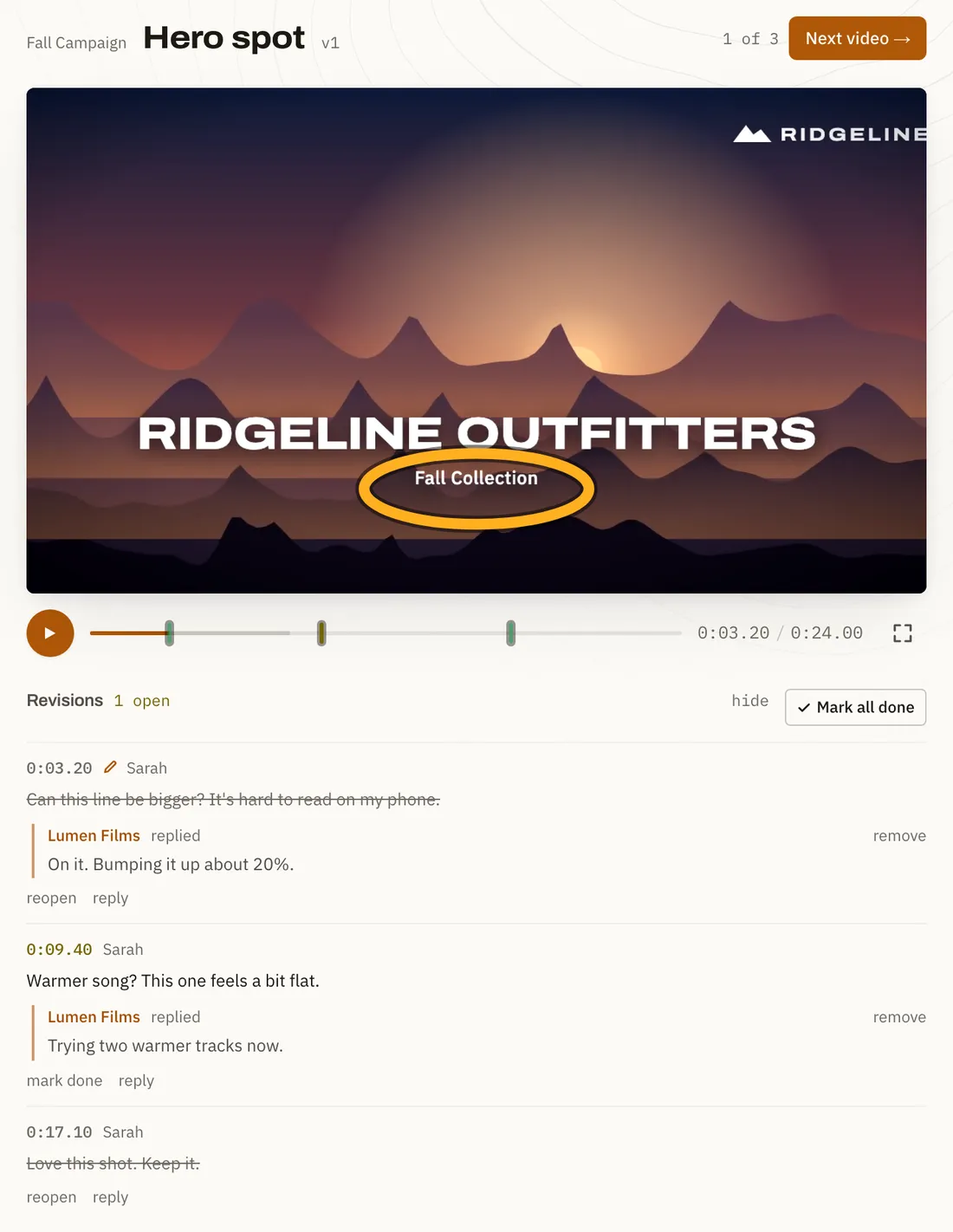
Every note in one list.
Each note is pinned to its timecode. Reply, tick them off, then drop the new cut on the video. It becomes v2, whatever the file is called.
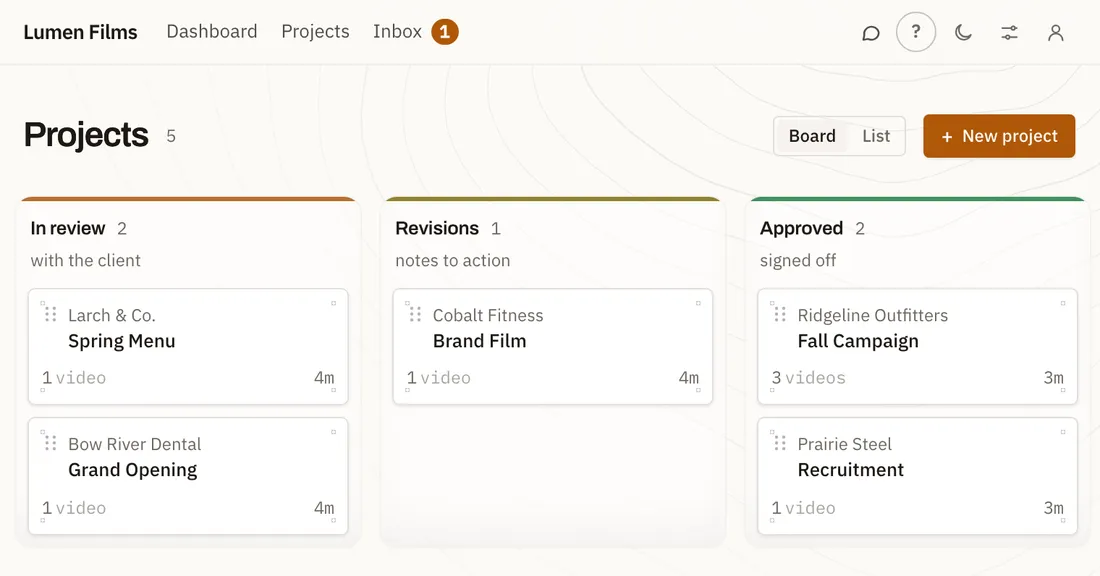
Approved, and you know it.
When it's right, they approve it and press Send. The project moves along your board and you get the alert straight away.


The details, handled
- Nothing for clients to sign up for
- The link is the whole login. It opens in any browser, and you can reset it if it ends up somewhere it shouldn't.
- Rounds, counted
- Set how many rounds of changes your quote includes. Proofr counts each one as your client sends notes, and tells you when you're past it.
- Feedback dates
- Pick when you need notes back. Your client sees the date on their page, counting down.
- See when they've looked
- Know when your client opened the link. When they send notes or approve, it shows up in your Proofr inbox, and in your own Slack if you connect it.
- Your name on it
- Clients see your studio's name and colour on their page, so the review feels like part of your service.
- One version at a time
- A new cut replaces the old one, so nobody reviews the wrong file. Notes on earlier cuts stay with the cut they were left on.
Questions studios ask
Does my client need an account or an app?
No. They open the link in any browser, on a phone or a computer, and type their name once so you know who left each note.
What does my client actually see?
Your videos, a timeline to leave notes on, and one button to send them to you. Try the demo to see it for yourself.
Can clients download my videos?
Not from a review link: they can watch and leave notes, but not save the file. When the project is done, add a link to your finished files (a Google Drive folder, or anywhere) and their page shows a button to it.
What can I upload?
MP4, MOV or WebM, up to 2 GB each. A 1080p H.264 export plays fastest for your client, especially on a phone.
How much storage do I get?
Up to 10 GB per studio during the beta. A new cut replaces the one before it, and you can remove versions you no longer need.
Is my footage private?
Only people with the link can open it, and links can't be guessed. You can reset a link at any time if it ends up somewhere it shouldn't. Review pages are kept out of search engines, and studios never see each other's work.
Can I make it look like my studio?
Yes. Your studio's name and colour are on every client page, and you can hide the small "Delivered with Proofr" line.
What does it cost?
Nothing while Proofr is in beta. If that changes you'll hear well ahead, and nothing is ever charged without you agreeing to it first.
Request an invite
Proofr is invite-only while it's in beta, and free for the studios using it. Tell us about your studio and we'll email you when there's a spot.
Proofr is made by KS Media, a video studio in Alberta, Canada. It's what we use with our own clients. Questions go to hello@kadensmedia.ca.